
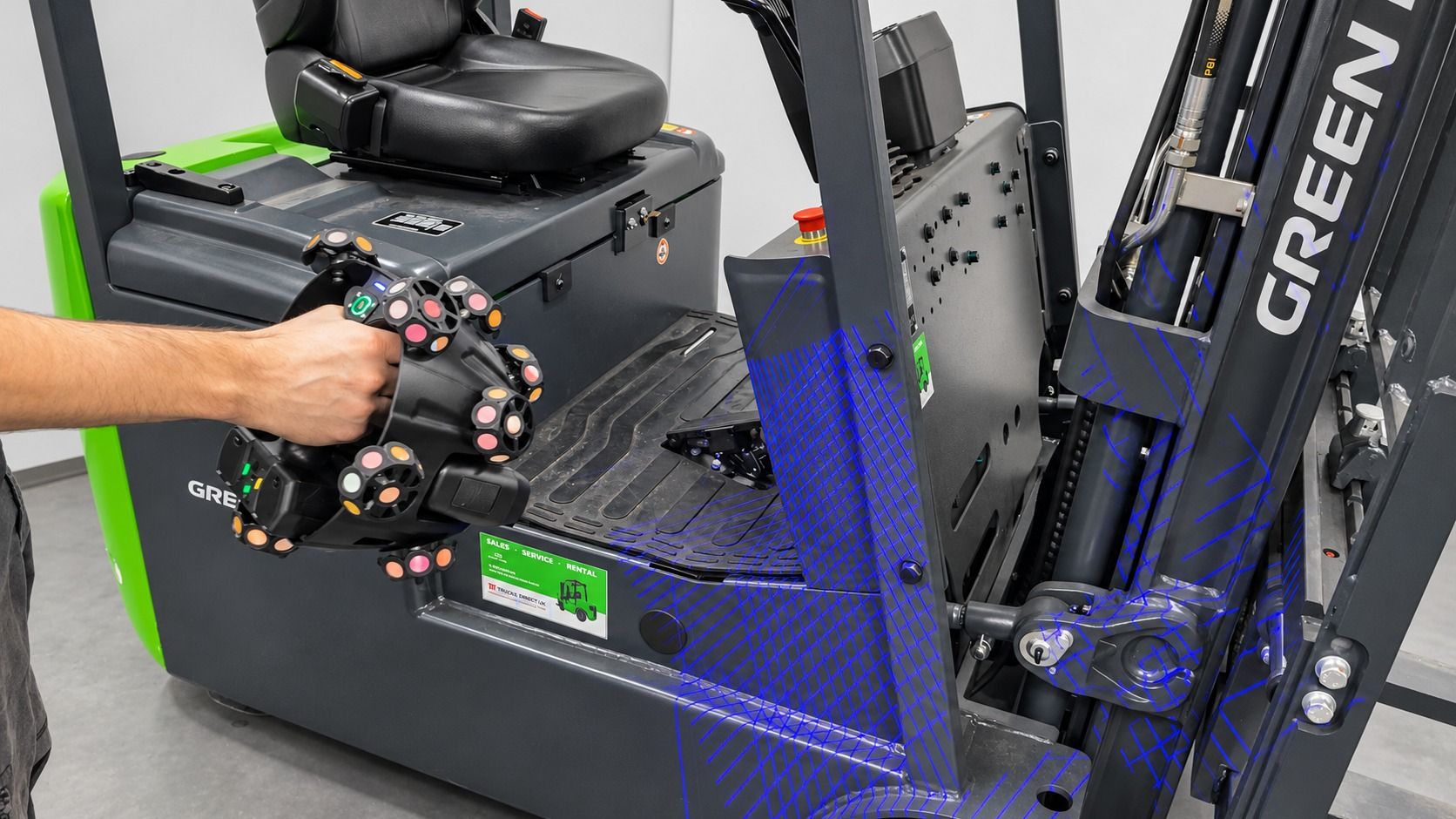
CDG 3D TECH scanned a whole forklift with SHINING 3D's EinScan Trak in about an hour
CDG 3D TECH tested the EinScan Trak on a forklift truck, capturing its external geometry as a digital model. The system combines wireless optical tracking, marker-free scanning and a detachable handheld scanner, with EXScan Trak software displaying data in real time. Scan data exports to Geomagic Design X, EXModel or Geomagic Control X for reverse engineering and inspection.
CDG 3D TECH has tested the EinScan Trak from SHINING 3D on a forklift truck, capturing the vehicle's external geometry as a complete digital model.
The EinScan Trak pairs wireless optical tracking and marker-free scanning with a detachable handheld scanner. An external optical tracker follows the scanner's position in real time, so operators can capture large surfaces without placing markers directly on the object.
Scanning the forklift took approximately 60 minutes in CDG 3D TECH's demonstration, with EXScan Trak software showing captured data in real time. Data exports to Geomagic Design X or EXModel for reverse engineering, and to Geomagic Control X for dimensional analysis.
Frequently asked questions
How does the EinScan Trak system facilitate marker-free scanning for large objects?
The EinScan Trak uses an external optical tracker to monitor the scanner’s position in real time. This tracking system allows users to capture large surfaces without the necessity of placing reference markers directly onto the object being scanned in many common applications, simplifying the preparation process significantly.
What are the different scanning modes available on the EinScan Trak, and for what applications are they best suited?
The EinScan Trak offers three distinct blue laser scanning modes. The 38 crossed laser lines mode is for high-speed scanning of larger surfaces. Seven parallel laser lines are optimized for detailed scanning of finer geometry. A single laser line is designed for capturing features within deep pockets and narrow recesses, making it suitable for complex mechanical parts.
How long did the set-up and actual scanning process take for the forklift demonstration, and how do these timings typically vary?
For the forklift demonstration, the set-up and calibration of the EinScan Trak took approximately 10 minutes. The actual scanning process to capture the forklift's geometry required around 60 minutes. These specific timings are illustrative of the demonstration and are expected to vary based on the complexity of the object being scanned, the surrounding environment, and the required level of detail for the final 3D model.
Can the EinScan Trak system capture full-colour 3D data, and what are the implications of this feature for various industries?
Yes, the EinScan Trak system includes a 5MP texture camera that captures colour information in addition to the object's geometry. This capability extends the scanner's applicability beyond traditional engineering and reverse engineering. It is valuable for applications like digital archiving, heritage preservation, visualization, and design, where the visual appearance of an object is as crucial as its precise shape for analysis and representation.
In what two configurations can the EinScan Trak operate?
The EinScan Trak can operate in two distinct configurations: Tracking Mode and Handheld Scanner Mode. In Tracking Mode, an external optical tracker monitors the scanner's position, ideal for larger objects like vehicles or industrial machinery. The scanner can also detach from its module to function as an independent wireless handheld scanner, which is beneficial for capturing smaller components or accessing restricted spaces.
How does real-time data monitoring assist the scanning operator?
The EXScan Trak software allows operators to monitor the captured data in real time as the scanner moves across the object. This immediate visual feedback is highly useful because it enables the operator to identify any areas that may require additional scanning coverage to ensure a complete and accurate digital model is generated, optimizing the scanning workflow.
Get the long read at CDG 3D Scanners
Is this your company?
This article features your business. Claim it to add your logo, contact details, and a link to your website — or upgrade to reach more buyers.
Did you know 80% of Press Releases trigger AI content warnings? Reach out and the M4S team can assist.